iLED Lite
★
☆
★
☆
★
☆iLED Lite Released
☆
★
☆
★
☆
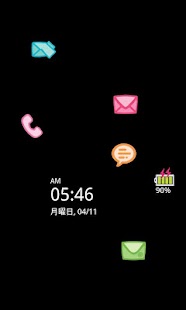
★【iLED Introduction】iLED(intelligent LED) is an application which notifise you when you have got missed calls, sms, e-mials with cute icons.(Please, refer below for further information.)
【Message from studio】Be aware that we are currently preparing the upgrade function to the pro version.
It could take some timeto update it.
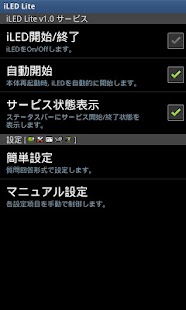
【Features of iLED Lite Version】① Changing Icon Themes② More efficient Battery Save Mode③ Sound Alram, Vibration when notifying④ Several new functions such as time Shedulung and chaing the icon size or brightness
※ Details▶ Available Notification ListMissed CallSMS/MMS MessageGoogle TalkE-mail:Gmail and others that you select from the listOther AppsBattery LevelClock
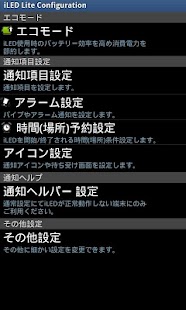
▶ Eco ModePocket Mode: It will hides the screen when the phone is in a bag or pocket.Time Limit: It will turn off the notification screen after the time period you set.Icon Moving Cycle:You can control the icon movement cycle.
▶Customizing5 cuty icon image set are provided.
▶Time SchduleiLED service will be turned on/off when the time you set.
【iLED Introduction】iLED(intelligent LED) is an application which notifise you when you have got missed calls, sms, e-mials with cute icons.You don't need to unlock your phone to check if you have got any missed notifications any more with iLED.The notification icons will directly run the notified application such as Google Talk.
# missed call, missed sms, missed email, missed reminder, no led lamp
About iLED Lite
- Package name (App ID)
- com.studiozitto.iLEDLite
- Available on
- Google Play
- Price
- Free
- Version
- v1.0.6
Looking for the iLED Lite APK?
The safest way to get iLED Lite (com.studiozitto.iLEDLite) on your Android device is to install it directly from Google Play — you'll always get the latest official version, automatic updates, and no risk of modified or infected APK files from third-party sites.
Music Features
Enjoy high-quality music streaming and playback features.
Productivity Tools
Boost your productivity with powerful tools and features.
Learning Tools
Enhance your learning experience with interactive features.
See iLED Lite in Action
Frequently Asked Questions
Is iLED Lite free?
Yes, iLED Lite is free to download and install on Android through Google Play.
How do I install iLED Lite on Android?
Open Google Play on your Android phone or tablet, search for iLED Lite or tap the Google Play button on this page, then tap Install. The app downloads and installs automatically.
What is com.studiozitto.iLEDLite?
com.studiozitto.iLEDLite is the App ID (package name) of iLED Lite on Google Play. Every Android app has a unique package name, and it is the safest way to verify you are installing the official app.
Is iLED Lite safe to download?
Installing iLED Lite from Google Play is the safest option: you get the official version, verified by Google Play Protect, with automatic updates. Avoid APK files from unofficial third-party sites.
Get iLED Lite Today
iLED Lite for Android — free download on Google Play.
Compatible with Android phones and tablets — available on Google Play.
Ask AI about this app
Get instant answers about features, tips and more from popular AI assistants.